Syntask Integration Hub: Connect Any Data Source in Minutes
Announcing the Syntask Integration Hub — a unified connector framework that lets logistics teams link TMS, WMS, ERP, and carrier systems without engineering resources.

Why Logistics Data Stays Trapped in Silos
The average mid-size freight forwarder operates between 6 and 12 distinct software systems: TMS for shipment management, WMS for warehouse operations, ERP for financial accounting, CRM for customer relationships, carrier portals for booking and tracking, customs platforms for compliance, and often several Excel-based tools filling the gaps between these systems. Each system holds a piece of the operational picture, and none of them talk to each other natively.
This fragmentation creates a data silo problem that directly impacts decision-making quality and speed. When an operations manager needs to understand the profitability of a specific customer, they must pull revenue data from the ERP, cost data from the TMS, warehouse charges from the WMS, and claims data from the carrier portal — manually reconciling across systems that use different identifiers, date formats, and data structures. What should take 30 seconds takes 3 hours, and the result is a snapshot that is already outdated by the time it is compiled.
We built the Syntask Integration Hub to eliminate this problem permanently. Launching today, the Integration Hub provides a unified connector framework that links your existing logistics systems to Syntask's analytics platform — without requiring engineering resources, custom development, or lengthy implementation projects.
What Is the Integration Hub?
The Integration Hub is a library of pre-built connectors for the most common logistics software systems, combined with a visual configuration interface that lets operational teams set up data flows without writing code. Each connector handles authentication, data mapping, error handling, and synchronization scheduling — the technical complexity that traditionally makes system integration a months-long engineering project.
- TMS Connectors: CargoWise, Descartes, BluJay, WiseTech, and 15+ other major TMS platforms. Pulls shipment data, milestones, documents, and financial records.
- WMS Connectors: Manhattan, Blue Yonder, SAP EWM, Körber, and major cloud WMS platforms. Syncs inventory levels, throughput data, order status, and labor metrics.
- ERP Connectors: SAP, Oracle NetSuite, Microsoft Dynamics, and Sage. Imports financial data, customer master records, and invoice details for margin analysis.
- Carrier API Connectors: Direct integrations with 40+ ocean carriers, airlines, and road transport providers for real-time tracking, rate data, and performance metrics.
- File-Based Connectors: For systems without APIs, the Hub accepts CSV, Excel, XML, and EDI file uploads with automated parsing and field mapping.
How Does Setup Actually Work?
We designed the setup process to take minutes, not months. Here is the actual workflow:
- Select your connector from the library. The Hub displays only the connectors relevant to your identified systems.
- Authenticate using your existing credentials. OAuth2 for modern platforms, API keys for legacy systems. The Hub stores credentials securely with AES-256 encryption.
- Map your data fields using the visual mapper. The Hub auto-suggests mappings based on common field names and data types. For most connectors, 80-90% of fields map automatically; you only need to confirm and adjust the remaining 10-20%.
- Set your sync schedule. Choose real-time (for systems that support webhooks), near-real-time (polling every 5-15 minutes), or batch (hourly/daily). Different data types can run on different schedules.
- Activate and monitor. The Hub processes your initial data load and provides a validation summary showing record counts, mapping coverage, and any data quality issues detected.
Beta customers have completed full setup — from selecting connectors to flowing live data — in under an hour for single-system connections and a few hours for multi-system environments. Compare this to the industry standard of 3-6 months for traditional integration projects.
Proof, not a pilot
Put this to work on your own operational data.
No integration project. No black box.
Start a 90-Day Proof of ValueWhat Happens After Your Data Is Connected?
Connected data flows into Syntask's unified data model, where it is automatically normalized, deduplicated, and enriched. This means you do not need to worry about reconciling different date formats, currency conversions, or identifier mismatches — the platform handles this at the integration layer.
Once connected, your data immediately powers Syntask's full analytics suite:
- Lane profitability analysis combining TMS revenue data with carrier cost data and warehouse charges
- Carrier performance scorecards calculated from tracking milestones and delivery confirmations across all connected carriers
- Customer analytics merging CRM relationship data with operational performance and financial profitability
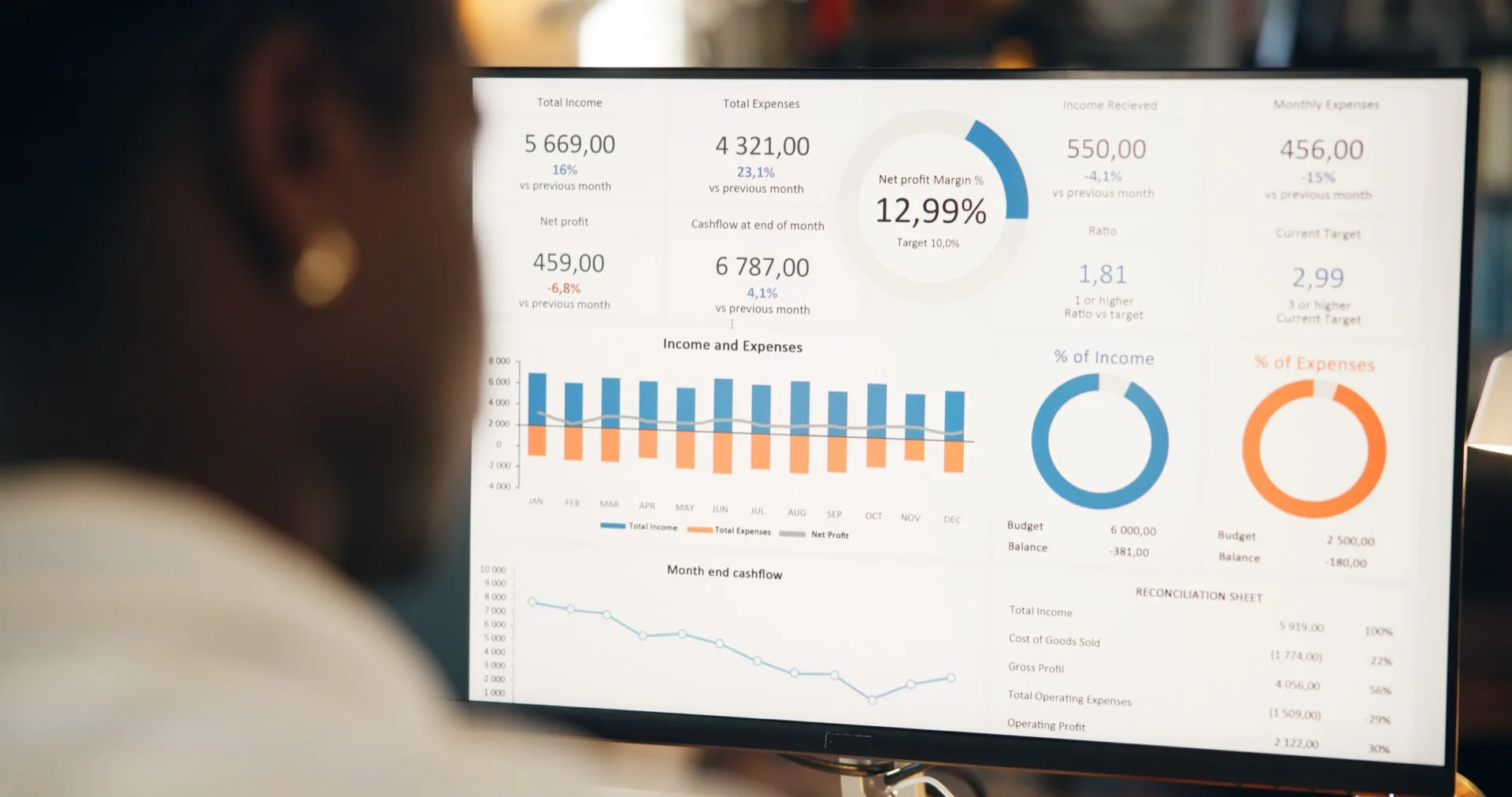
- Operational dashboards showing real-time warehouse throughput, shipment status, and exception counts
The Integration Hub also includes a data health monitor that continuously checks for sync failures, data quality degradation, and schema changes in source systems. If a carrier changes their API response format or your TMS upgrade modifies a data field, the Hub detects the change and alerts you before it impacts your analytics.
Pricing and Availability
The Integration Hub is available today for all Syntask Professional and Enterprise customers at no additional per-connector cost. Your Syntask subscription includes unlimited connector activations — connect as many systems as you need without incremental fees. The file-based connector is also available on the Syntask Starter plan for teams beginning their analytics journey.
For systems not yet in our connector library, the Hub includes a generic REST API connector that can be configured to work with any system exposing a standard API. Our integration team provides complimentary configuration support for the first three custom connectors during your onboarding period.
We are adding new pre-built connectors every month based on customer requests. If your critical system is not yet supported, let us know — our connector development cycle averages 4-6 weeks from request to production availability.
Activating Your First Connector
Existing Syntask customers can access the Integration Hub from the Settings panel under Data Sources. New customers can explore the connector library and test the setup workflow during their free trial. Our onboarding team is available for live setup sessions — book a 30-minute slot and we will walk through your first connector activation together.
The Integration Hub represents our commitment to making logistics analytics accessible without requiring the data engineering investment that has historically been the barrier to adoption. Connect your systems, see your data unified, and start making better decisions — in minutes, not months.
Put this to work on your own operational data.
Start with one lane, one workflow, one decision. Measure impact. Expand when value is proven.
No integration project. No black box.
Written by
Berna Bulgurcu
Co-founder & CEO, Syntask
The Syntask team writes about operational decision intelligence for logistics — turning the data teams already have into prioritized, evidence-backed decisions.
Topics
- Real-Time Data
- Automation
- Supply Chain
- How-To Guide